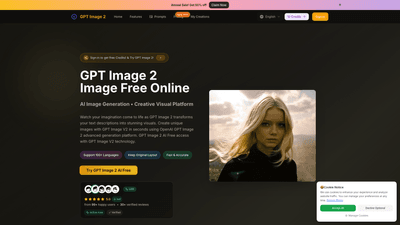
What is it
GPT Image 2 is an AI-powered online image generation and editing platform that turns text descriptions into high-quality visuals in seconds. Built on the OpenAI GPT Image 2 model and its advanced GPT Image V2 technology, it enables users to create, refine, and download professional-grade images in 4K resolution. The service supports more than 100 languages, offers a straightforward text-to-image workflow, and includes a built-in editor to generate, edit, and polish visuals all in one place. With a credit-based pricing model and a free trial that provides initial credits, GPT Image 2 is designed for creators, marketers, e-commerce teams, and designers who need fast, reliable AI-generated imagery without requiring advanced design skills.
Main features
- Text-to-image generation with GPT Image V2: Simply describe what you want, and the AI generates high-resolution visuals that match the description.
- 4K high-resolution output: Every generation aims for professional, print-ready quality.
- Integrated GPT Image V2 editor: Edit images directly in the browser, including uploading existing images for transformation.
- Image editing and enhancements: Background swap, photo restoration, avatar creation, text edits within images, and more.
- Multiple art styles: Create in diverse styles such as photorealistic, anime, oil painting, and other stylistic options.
- Language support: Works with 100+ languages, enabling global usability.
- Quick generation times: AI-driven processing delivers results in seconds.
- 10 free credits for new users: A low-friction entry point to test capabilities before subscribing.
- Credit-based usage: Each image generation consumes a defined number of credits; paid plans replenish credits monthly.
- Commercial use license: Plans include rights suitable for business and marketing purposes.
- Download formats: High-quality PNG and JPEG outputs suitable for personal and commercial use.
- User trust signals: Real user testimonials and verified reviews, highlighting reliability and quality.
How to use
- Start with free credits: New users receive 10 free credits to explore text-to-image generation.
- Enter a description: Type a clear, specific prompt that includes details about subject, colors, lighting, mood, and style. For better results, specify composition, color palette, and desired art style (e.g., “photorealistic sunset over mountains in 4K”).
- Choose style and output: Select from available art styles and confirm the 4K output. You can also upload an image to edit or transform.
- Generate and refine: Click generate to produce the image. Use the integrated editor to tweak details, adjust composition, or replace backgrounds.
- Download and use: Once satisfied, download the image in PNG or JPEG format. The platform supports commercial use licenses on applicable plans.
- Pricing and plans: The platform offers yearly and monthly plans with significant credits:
- Basic: Yearly plan with 12,000 credits (~1,200 images) and 4K output
- Pro: Yearly plan with 30,000 credits (~3,000 images)
- Enterprise: Yearly plan with 120,000 credits (~12,000 images) All plans include unlimited image downloads (subject to credit limits), permanent image history, and commercial use licenses. A limited-time sale offers 50% off on annual plans.
- Accessibility: GPT Image 2 is web-based and accessible via desktop or mobile browsers (no dedicated mobile app currently, but mobile browsing is supported).
Use cases
- E-commerce product visuals: Generate clean, consistent product images for catalogs, ads, and online stores in 4K.
- Social media and content marketing: Produce striking visuals for posts, banners, and thumbnails quickly to maintain a strong content cadence.
- Brand and character design: Create consistent characters and avatars for branding, games, or marketing campaigns.
- Photo restoration and enhancement: Restore colors, fix scratches, and enhance details on older or damaged photos.
- Virtual try-on and fashion: Preview clothing, eyewear, or accessories on realistic models or avatars.
- Background and scene composition: Replace backgrounds or craft custom scenes for portraits, art concepts, or product photography.
- Editorial and presentation visuals: Produce high-quality images for reports, decks, and client proposals with professional 4K quality.
Advantages and unique value
- Speed and quality: Ultra-fast generation with 4K output ensures professional visuals without long wait times.
- User-friendly workflow: No design skills required; the natural language interface and intuitive editor streamline the entire image creation process.
- High fidelity and versatility: Advanced GPT Image V2 technology supports multiple art styles and precise, context-aware rendering.
- Commercial-ready licensing: Plans include licenses suitable for business use, simplifying the path from creation to deployment.
- Flexible access and pricing: Free starter credits combined with scalable paid plans make it accessible for individuals and teams of all sizes.
- Continuous improvement: Built on OpenAI GPT Image 2 framework, which emphasizes high-quality, reliable AI image generation.
Target audience
- Creative professionals and freelancers seeking rapid concept visuals without heavy design tooling.
- Marketing teams and small businesses needing consistent, high-quality product imagery.
- E-commerce sellers requiring fast, scalable image generation for catalogs and ads.
- Social media influencers and content creators who need regularly refreshed visuals.
- Brands aiming to prototype ideas with multiple art styles before committing to production art.
Practical tips for best results
- Be specific with prompts: Include details on colors, lighting, mood, and composition to guide the AI more precisely.
- Mention styles and quality: Use terms like “photorealistic,” “4K,” or “high detail” to influence fidelity.
- Combine concepts: You can describe a subject plus a setting or action to create dynamic scenes (e.g., “cyberpunk cityscape at dawn, reflective surfaces, wide angle”).
- Use the editor for refinement: After generation, refine compositions or adjust backgrounds and overlays to match branding.
- Leverage background swaps: Replace backgrounds to suit different contexts without recreating the subject from scratch.
- Keep an eye on licensing: Ensure your final outputs comply with commercial use licenses tied to your chosen plan.
Frequently Asked Questions
- How to start using GPT Image 2? Sign up, receive 10 free credits, and begin creating with text prompts. Upgrade to a paid plan for more credits and features.
- What can I download? Outputs are available in high-quality PNG and JPEG formats, suitable for personal and commercial use.
- How fast is the generation? Image generation happens in seconds, with 4K resolution output.
- Do I need design skills? No. The tool is designed for everyone, from beginners to professionals, with an intuitive text-based interface.
- Can I edit existing images? Yes, you can upload an image and use the integrated GPT Image V2 editor to transform or enhance it.
- Is there a mobile app? Currently, GPT Image 2 is web-based; mobile access is supported via browsers, with no dedicated app at this time.
- Are there usage limits? Image generation uses a credit system. Each generation costs 10 credits. Free users get 10 starter credits; paid plans offer larger monthly credit allowances.
- Can I use the images commercially? Yes, commercial use licenses are included on eligible plans, enabling business and marketing deployment.
- What makes GPT Image 2 different from other tools? It leverages advanced OpenAI GPT Image 2 model technology for high-quality, context-aware 4K outputs, fast generation, and a seamless editing workflow in a single platform.
Ready to experience GPT Image 2? Start with 10 free credits, explore diverse styles, and see why thousands of creators rely on this OpenAI-powered AI image generator for rapid, professional visuals.